
Capture and Delivery
After-Hours Roofing Lead Capture
After-hours roofing lead capture is what happens when a homeowner calls, texts, or fills out a form on a network site outside the business hours your company has set — a wind storm at 11 p.m., a slow leak discovered on a Sunday morning, or a form submitted at 2 a.m. by someone who couldn't sleep after noticing a stain on the ceiling. This page describes how that enquiry is handled, not a claim that a roofer will show up at any hour.
The honest version of after-hours capture has two separate jobs: deciding, in the moment, whether a call sounds urgent enough to attempt a live transfer, and making sure nothing that comes in overnight gets lost before your team starts the next working day. Neither of those jobs is the same as dispatching a crew in the middle of the night, and this page doesn't claim that capability.
Every business's after-hours behavior is configured against its own business-hours schedule, set in its own timezone, not against a generic assumption of what "after hours" means. A roofer who works Monday through Saturday has a different after-hours window than one who works a standard five-day week, and the system respects whichever schedule has actually been set for that account.
This page is written for you as the contractor evaluating the program, to explain exactly what after-hours coverage does and does not do before you decide whether it fits how your company actually operates, including what happens when your team genuinely can't take an emergency call at 3 a.m.
Updated 2026-10-03. Terms, prices and availability are set by the written agreement for your market.
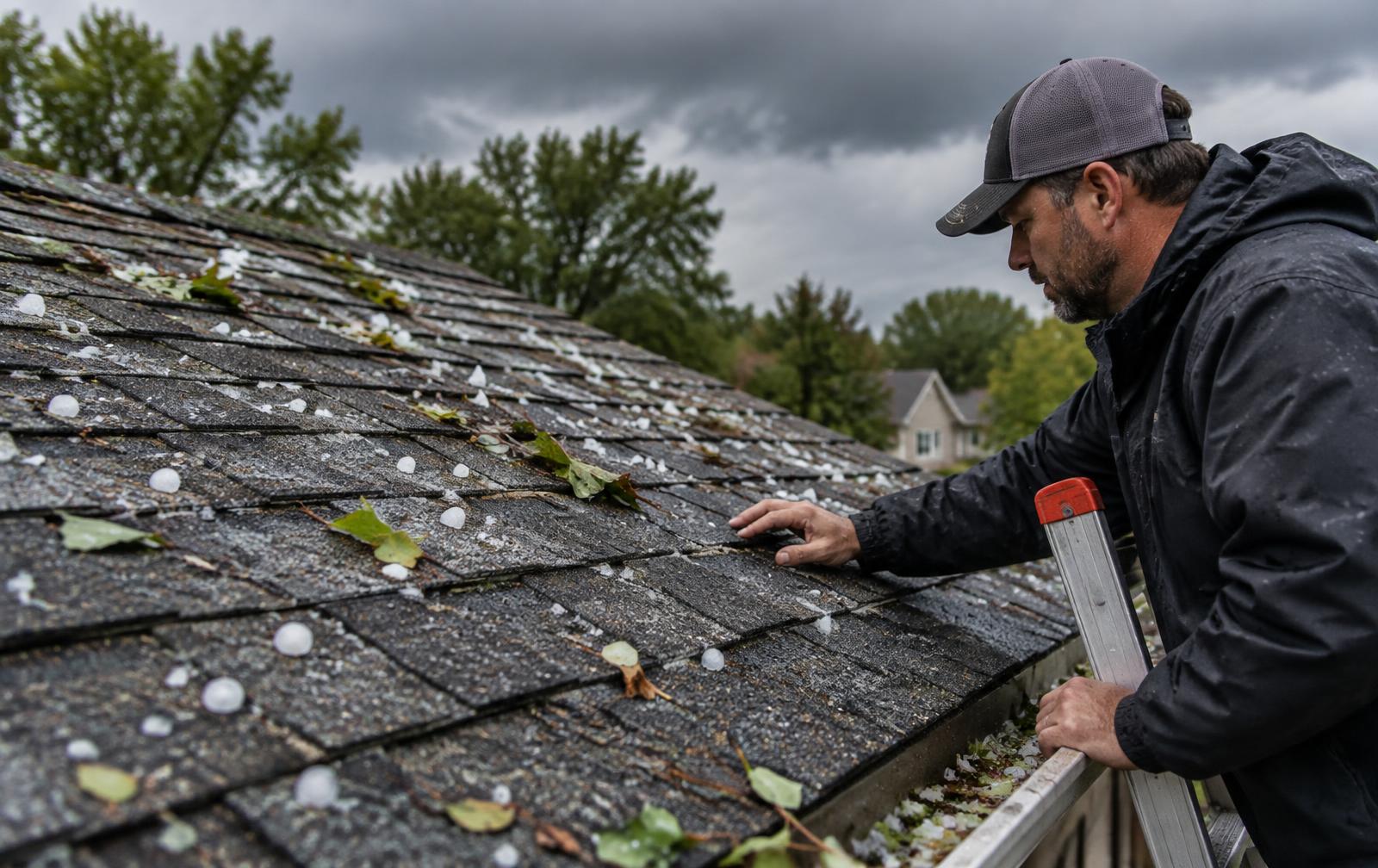
Defining after-hours coverage for your roofing service area
After-hours coverage starts with a business-hours schedule set for your account, in your business's own timezone — the days and hours your team is actually available to take a live call. Everything outside that window is treated as after-hours, and a separate behavior takes over for calls and enquiries that arrive then.
- Business hours are configured per account: working days, start and end times, and the account's timezone.
- Outside that window, the system switches to a configured after-hours mode rather than treating every hour the same way.
- Seasonal or one-off exceptions — a holiday closure, a planned week off — are handled as schedule changes your team sets, not assumed automatically.
- The same ZIP-and-service matching that applies during business hours still applies after hours; an after-hours call doesn't skip territory or service checks.
Three after-hours modes
Outside business hours, an account is configured for one of three modes: ring-first (still attempting to ring a verified forwarding number before falling back), AI-first (the AI receptionist answers directly), or voicemail. Which mode makes sense depends on whether anyone on your team is actually reachable off-hours, and that's a decision your company makes, not a default this page assumes for you.
| Mode | What happens on an after-hours call |
|---|---|
| Ring-first | Attempts the verified forwarding number first, then falls back if unanswered |
| AI-first | The AI receptionist answers directly, without attempting a live ring first |
| Voicemail | Caller is directed to leave a message; no live or AI conversation is attempted |
Separating urgent calls from enquiries that can wait for business hours
Not every after-hours contact needs the same response. A homeowner reporting water actively pouring into a living room at midnight is a different situation than someone filling out a form at 1 a.m. simply because that's when they had time to think about getting a quote for a roof replacement next spring.
- Active water intrusion, a tree or large debris on the roof, visible sagging, or water near electrical systems are treated as urgent conditions warranting a transfer attempt.
- General inspection, estimate, or replacement interest without an active emergency is captured as a standard after-hours lead for next-business-day follow-up.
- Urgency is assessed from what the caller or form-filler actually describes, not guessed or inflated to make every after-hours contact sound like an emergency.
- Safety guidance — move away from the area, call 911 if there's immediate danger — is given when a caller describes a genuinely dangerous situation, regardless of what happens with routing afterward.
Why this distinction matters for your team
Treating every after-hours contact as equally urgent would either wake your team for things that could easily wait until morning, or dull the response to things that genuinely can't. Separating the two is what makes an urgent-transfer attempt meaningful: it's reserved for situations that actually sound like they need it, based on specific conditions the caller describes.
What the AI does and does not decide
The AI receptionist flags urgency based on what it hears — specific described conditions like active water intrusion or a tree on the roof — and attempts a transfer accordingly. It does not make a medical or safety judgment call beyond telling a caller in real danger to move away or call 911, and it never tells a caller their roof is safe or unsafe, since that's a determination only an on-site inspection can make.
TEACHING DIAGRAM
After-hours routing tree (illustrative example)
- 1Schedule check
Contact arrives outside configured business hours and timezone.
- 2Mode applied
Account's configured after-hours mode: ring-first, AI-first, or voicemail.
- 3Urgency assessed
Described conditions checked against urgent criteria (active intrusion, tree on roof, sagging, water near electrical).
- 4Transfer attempted
Verified forwarding number rung for urgent cases; honest fallback message if unanswered.
- 5Next-day handoff
Lead record with urgency flag and transfer outcome delivered for morning review.
Using an approved message about current availability
When a live transfer attempt doesn't succeed after hours — because no one answers the forwarding number, or the account is set to AI-first or voicemail — the caller hears an honest message about the current situation rather than a vague hold or a message implying someone is on the way.
- The caller is told, plainly, that it's currently outside business hours or that a live transfer could not be completed.
- For a described urgent condition, the caller is given basic safety guidance appropriate to what they've described, including moving away from danger or calling 911 if needed.
- The caller is told their information is being captured and that your team will follow up, without a specific promised response time beyond what's actually configured.
- The call or form is saved as a lead regardless of outcome, including the urgency flag and whatever details were captured.
Why the message doesn't promise more than it can deliver
It would be easy to tell every after-hours caller "someone will call you back shortly" regardless of whether that's true for your company's actual staffing, but that creates an expectation the system can't verify or guarantee. The approved after-hours messaging sticks to what's actually happening — a transfer attempt failed, a message is being taken, the lead is saved — rather than implying a guaranteed callback window this program doesn't control.
No emergency crew promise
Nothing in the after-hours flow tells a caller that a roofer, a crew, or an emergency repair team is being dispatched. The system captures the enquiry, flags urgency where warranted, and attempts to connect a human — it does not and cannot promise that your company has after-hours emergency repair capacity, because that's entirely a function of your own operations.
Escalating through a verified on-call or callback process
An urgent transfer attempt only works if there's a real, verified number behind it. The system attempts to ring the forwarding number your account has configured and verified for after-hours use — it does not invent an on-call rotation or guess at who might be reachable.
- A transfer attempt requires a verified forwarding number already set up for the account; there's no transfer path without one.
- If the configured forwarding number doesn't answer, the system falls back to the account's after-hours mode (AI conversation or voicemail) rather than retrying indefinitely.
- A team alert is sent when an urgent after-hours call occurs, regardless of whether the live transfer succeeded, so the situation isn't only visible inside a voicemail box.
- There is no separate "on-call rotation" feature beyond the single verified forwarding number your account has set — if your company wants to route urgent calls to a specific rotating on-call person, that number is what needs to be kept current.
What changes if your team is genuinely unreachable
If nobody answers the verified forwarding number during an attempted urgent transfer, the caller moves to the fallback (AI conversation or voicemail) with the honest message described above, and a team alert still goes out. The enquiry isn't lost, but it also isn't escalated beyond what your actual verified contact setup allows — the system can't call a second or third number unless that's what's configured.
Keeping the forwarding number current
Because the entire urgent-transfer attempt depends on one verified number, keeping that number current — updating it when staffing or on-call responsibility changes — is part of what makes after-hours coverage function as intended. An outdated forwarding number means transfer attempts will reliably fail, which isn't a system problem so much as an account-maintenance one.
Preparing a complete handoff for the next working shift
Every after-hours contact, whether it was urgent or routine, whether a transfer succeeded or fell back to the AI or voicemail, ends up as a lead record with a timeline your team reviews when the business day starts. Nothing captured overnight depends on someone remembering to check a separate inbox.
- Each after-hours lead record includes what was captured (name, phone, ZIP, service, problem description, urgency), consistent with standard intake.
- The urgency flag and whatever happened with the transfer attempt (succeeded, failed, fell back to AI or voicemail) are part of that same record.
- The lead is delivered to your CRM through the same delivery path as a daytime lead, with the same status and retry handling if delivery fails.
- Follow-up timing after the lead is saved depends on the urgency level already assigned — about five minutes for an emergency-flagged contact, roughly thirty minutes for high urgency, about three hours otherwise — so the clock on homeowner follow-up doesn't simply wait for your office to open.
Reviewing overnight activity each morning
A sensible morning routine for a team using after-hours coverage is to review every overnight lead by urgency flag first, then chronologically — confirming that an urgent call that got a successful transfer was actually handled, and that anything flagged urgent but not reached overnight is the first thing addressed when the day starts.
- Review all after-hours leads flagged urgent first, checking whether a live transfer succeeded.
- Follow up directly with any urgent-flagged contact that fell back to AI or voicemail overnight.
- Work through routine after-hours leads in the order your team normally prioritizes daytime enquiries.
- Check delivery status in your CRM for anything that may have failed and relied on the email/SMS fallback alert.
Reviewing coverage exceptions and missed after-hours enquiries
Because every after-hours event — the schedule check, the mode used, any transfer attempt, and the fallback message — is recorded, your team can look back at a given week or month and see exactly how after-hours coverage actually behaved, rather than relying on impressions of how it felt from inside a busy week.
- How many after-hours contacts were flagged urgent versus routine.
- How many urgent flags resulted in a successful live transfer versus a fallback to AI or voicemail.
- Whether any schedule exceptions (holidays, planned closures) were set correctly, by checking whether contacts during those windows were handled as after-hours or mistakenly as business hours.
- Whether the verified forwarding number needs updating, based on a pattern of failed transfer attempts.
A hypothetical coverage review
Say, hypothetically, a roofing company configured for ring-first after-hours mode receives 22 after-hours contacts in a given month. Hypothetically, 5 are flagged urgent, of which 3 reach a live transfer successfully and 2 fall back to the AI with an honest message and a team alert; the remaining 17 routine contacts are captured by the AI or voicemail and reviewed the next morning under the standard follow-up timing. These numbers are an illustrative example built from assumptions you'd set from your own call volume and staffing — not a published average or a result this program guarantees.
| Metric | Illustrative value |
|---|---|
| Total after-hours contacts in the month | 22 (example) |
| Flagged urgent | 5 (example) |
| Urgent, successful live transfer | 3 (example) |
| Urgent, fell back to AI/voicemail with alert | 2 (example) |
| Routine contacts captured for next-day follow-up | 17 (example) |
Whether after-hours coverage is part of your current market setup, and which of the three modes fits how your team actually staffs nights and weekends, is a decision made on a Roofing Market Review, not assumed from this page. Program availability, like every specialty feature across the network, is reviewed per market and is never treated as guaranteed before that conversation.
WORKSHEET
After-Hours Operating Checklist
Work through this before treating after-hours coverage as ready for your account.
0 of 8 checked
EXPLAINER VIDEO · 58 SECONDS
What Happens When a Roofing Enquiry Arrives After Hours
Narrated explainer with diagrams drawn for this page. No customer data or private screens are shown.
Video transcript
A call arrives outside the business hours set for that account, in that business's own timezone. A configured after-hours mode takes over. The system checks what the caller describes. Active water intrusion, a tree on the roof, or sagging gets treated as urgent. General interest waits for business hours. For an urgent call, the system attempts to ring a verified forwarding number. If nobody answers, the caller hears an honest message, not a false promise. Whether or not the transfer succeeds, the enquiry is saved and the team is alerted. No crew or emergency dispatch is ever promised. Every after-hours contact becomes a complete lead record for the next shift to review, starting with anything flagged urgent. Coverage availability is confirmed on a Roofing Market Review.
STRAIGHT ANSWERS
Questions roofers ask
Does after-hours capture mean a roofer will be dispatched immediately?
No. After-hours capture attempts a live transfer for urgent-sounding calls and gives honest safety guidance when danger is described, but it never promises a dispatched crew or guaranteed emergency repair. Your company's actual after-hours repair capacity is entirely separate from this feature.
Can coverage rules change for weekends or periods when our team is unavailable?
Yes. Business hours, working days, and after-hours mode are configured per account, and seasonal or one-off exceptions like holiday closures can be set as schedule changes. The system follows whatever schedule your account has set rather than assuming a fixed pattern.
What information will our staff receive when they start work the next day?
A complete lead record for each after-hours contact, including captured details, the urgency flag, and what happened with any transfer attempt (succeeded, failed, or fell back to AI or voicemail), delivered to your CRM the same way daytime leads are.
How does the system decide whether a call is urgent?
It's based on specific conditions the caller describes — active water intrusion, a tree or large debris on the roof, visible sagging, or water near electrical systems. General interest in an inspection or estimate without an active emergency is treated as a routine after-hours lead.
What happens if our verified forwarding number doesn't answer during an urgent call?
The caller hears an honest message that a live transfer couldn't be completed, receives basic safety guidance if relevant, and the system falls back to the account's configured after-hours mode (AI conversation or voicemail). A team alert is still sent so the urgent contact isn't buried in a message box.
Is there a separate on-call rotation feature?
No. Escalation depends on the single verified forwarding number your account has configured for after-hours transfer attempts. If your company rotates on-call responsibility, keeping that number updated is how the rotation is reflected in the system.
Will after-hours coverage be available in every market?
Availability depends on your market's current program setup. A Roofing Market Review confirms what's currently available for your territory rather than this page assuming it's universally on.
See what exists in your market
A Roofing Market Review is a short call. We check which ZIPs and services you want, whether a network asset or territory is open there, and which plan options would apply. No lead counts or results are promised.